
Google Gemini AI Rain Portrait Photo Editing Prompts

Explore our curated collection of 6 Rain Portrait templates. Whether you are automating workflows or generating creative assets, these ready-to-use prompts are designed for immediate results.

Create stunning images with Google Gemini using Rain Portrait photo editing prompts. Copy and paste prompts to generate beautiful AI photos.

Last updated: February 13, 2026

Google Gemini AI Rain Portrait Photo Editing Prompt 1

Professional Studio Female Portrait

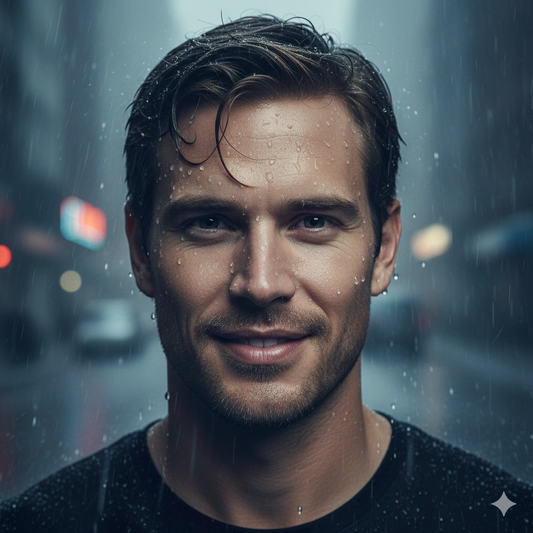
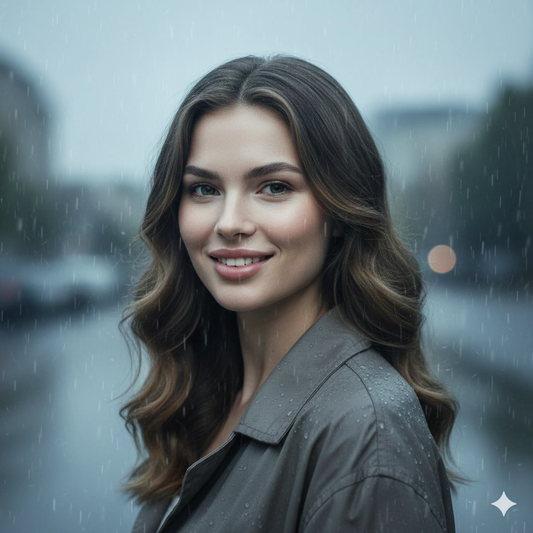
PROMPT: Create a cinematic rainy day portrait with soft diffused lighting, visible rain droplets, realistic wet textures, and dramatic atmospheric mood. Maintain photorealistic skin texture, shallow depth of field, cinematic background blur, and professional editorial photography composition with cool cinematic color grading in ultra high resolution quality. STRICT FACE LOCK: Use only the provided facial reference image with absolute precision do not alter any facial features, including structure, eyes, nose, lips, jawline, skin tone, beard, hairline, age, or expression. Avoid beautification, smoothing, or AI face regeneration. Retain all authentic skin textures, pores, scars, sweat, blood splatters, and natural asymmetry. The face must be perfectly identical and instantly recognizable.

Google Gemini AI Rain Portrait Photo Editing Prompt 2

Neon Night Cinematic Female Portrait

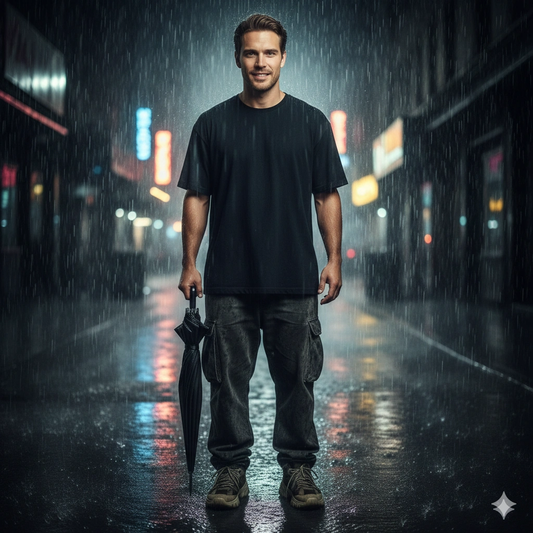
PROMPT: Create a cinematic rain portrait of a gender-neutral young subject standing still on a wet city sidewalk at night. They wear an oversized black T-shirt, baggy pants, and sneakers, holding a closed umbrella in one hand. The atmosphere is moody and desolate. Use heavy rain effects and reflections on the slick pavement. Lighting is soft with a gentle backlight halo around the subject, and colors are slightly desaturated for a filmic look. Frame it in a 3:4 aspect ratio for a dramatic composition. Capture with an 85mm lens at f/2.8 for a shallow depth of field, highlighting the subject in sharp focus and softly blurring the neon-lit city background. STRICT FACE LOCK: Use only the provided facial reference image with absolute precision; do not alter any facial features, including structure, eyes, nose, lips, jawline, skin tone, beard, hairline, age, or expression. Avoid beautification, smoothing, or AI face regeneration. Retain all authentic skin textures, pores, scars, sweat, blood splatters, and natural asymmetry. The face must be perfectly identical and instantly recognizable.

Google Gemini AI Rain Portrait Photo Editing Prompt 3

Rainy day cinematic portrait

PROMPT: Create a hyper-realistic cinematic portrait of the subject on a rainy day. Use soft, diffused natural daylight through overcast clouds, with gentle rain visible. Include water droplets on nearby surfaces or in her hair to add atmosphere. Keep her face in sharp focus and blur the background with raindrop bokeh. Apply a cool color grade (blues and greys) for moodiness, 8K detail. STRICT FACE LOCK: Use only the provided facial reference image with absolute precision; preserve every facial feature and complexion exactly.

Google Gemini AI Rain Portrait Photo Editing Prompt 4

Neon Night Cinematic Female Portrait

PROMPT: Generate a cinematic portrait of the young man from the reference image standing under light rain at twilight. Soft blue hour light highlights raindrops on his hair and jacket. A neon umbrella reflection glimmers around him with city lights in the distance. Keep his face realistic with natural skin detail. Background is softly blurred with subtle rain streaks and city bokeh. STRICT FACE LOCK: Use only the provided facial reference image with absolute precision; do not alter his facial structure or expression.

Google Gemini AI Rain Portrait Photo Editing Prompt 5

Urban rainy portrait

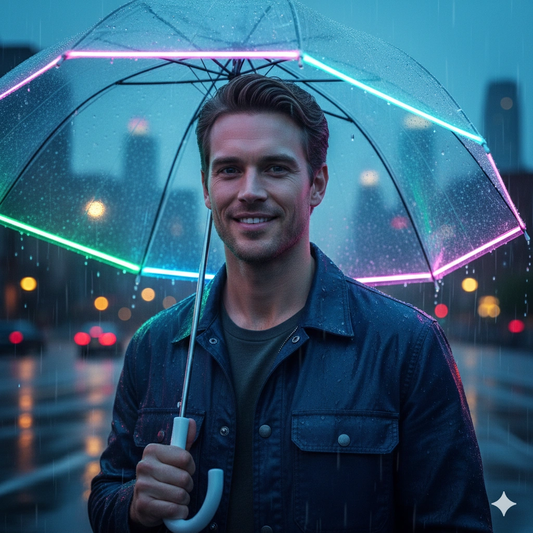
PROMPT: Produce a dramatic rainy street portrait of the subject (reference) holding a clear umbrella on a wet sidewalk at night. Warm streetlamp light reflects off puddles around him, casting a gentle glow on his face. The umbrella shelters him from the rain, with droplets visible. Use shallow depth-of-field and high detail on his face and umbrella handle. Cold color tones with subtle warm highlights. STRICT FACE LOCK: Use only the provided facial reference image with absolute precision; maintain the exact facial detail and expression.

Google Gemini AI Rain Portrait Photo Editing Prompt 6

Stormy mood portrait

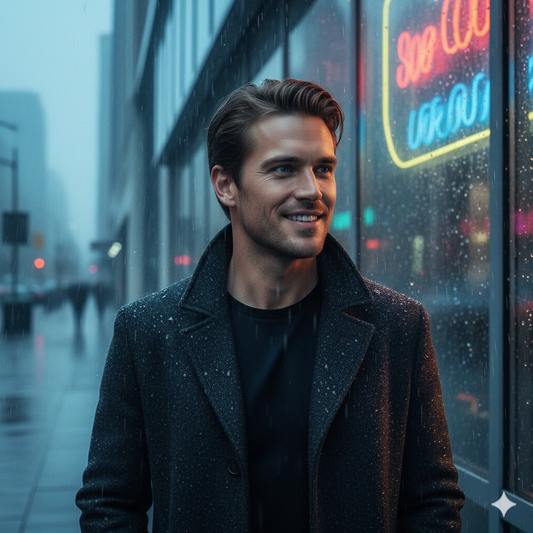
PROMPT: Create a moody portrait of the young man (reference) walking in light drizzle beside a glass building. Reflections of neon signs ripple on the wet glass. He wears a dark coat and looks into the distance. Soft diffused blue ambient light with slight warm rim lights on the face. Focus on photorealistic skin and raindrop effects. Cinematic quality. STRICT FACE LOCK: Use only the provided facial reference image with absolute precision; preserve the face exactly as in the provided image.

Google Gemini AI Rain Portrait Photo Editing Prompt are used with Google Gemini AI to create realistic, high-quality photos inspired by trending visual styles and popular photo aesthetics. These prompts help generate professional-looking results quickly, without requiring advanced photo editing skills.

Rain Portrait are actively searched by users who want simple copy-paste solutions to generate AI photos. These prompts are designed to match popular styles such as natural lighting, sharp details, and clean backgrounds commonly seen in trending images across social media and search platforms.

Below are ready-to-use Google Gemini AI Rain Portrait Photo Editing Prompt that show how to properly structure prompts for Google Gemini AI to achieve consistent, visually appealing, and high-quality photo results.

Rain Portrait Photo Generating Guide

Using structured Google Gemini AI Rain Portrait Photo Editing Prompt helps maintain consistent output quality, especially when creating multiple images in the same style. This makes these prompts useful for social media posts, profile photos, and everyday creative projects.

You can customize Google Gemini AI Rain Portrait Photo Editing Prompt by adjusting lighting, background, image style, or mood. Even small prompt changes can create unique visuals and noticeably improved image results.

Explore trending Google Gemini AI photo editing categories and creative prompts on Gemini AI Prompts to discover the latest photo editing ideas, popular AI styles, and similar prompts.