
Google Gemini AI Moody Portrait Photo Editing Prompts

Explore our curated collection of 6 Moody Portrait templates. Whether you are automating workflows or generating creative assets, these ready-to-use prompts are designed for immediate results.

Create stunning images with Google Gemini using Moody Portrait photo editing prompts. Copy and paste prompts to generate beautiful AI photos.

Last updated: February 13, 2026

Google Gemini AI Moody Portrait Photo Editing Prompt 1

Professional Studio Female Portrait

PROMPT: Create a cinematic moody portrait using dramatic low key lighting, deep shadows, rim lighting separation, and professional color grading. Maintain realistic skin texture, authentic contrast, cinematic depth of field, and editorial photography composition with film grain and ultra realistic lighting in 4K high resolution quality. STRICT FACE LOCK: Use only the provided facial reference image with absolute precision do not alter any facial features, including structure, eyes, nose, lips, jawline, skin tone, beard, hairline, age, or expression. Avoid beautification, smoothing, or AI face regeneration. Retain all authentic skin textures, pores, scars, sweat, blood splatters, and natural asymmetry. The face must be perfectly identical and instantly recognizable.

Google Gemini AI Moody Portrait Photo Editing Prompt 2

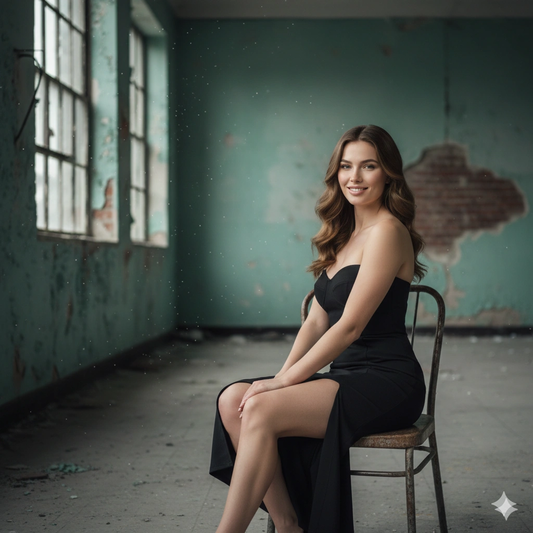
Low Light Moody Female Portrait

PROMPT: Create a moody urban portrait of a confident young woman seated on a vintage metal chair in a dilapidated industrial room. The peeling paint on the teal-green walls and scattered debris evoke a “shabby chic” abandoned aesthetic. She wears a fitted black strapless dress with a high slit, sitting with legs crossed and a subtle confident smile as she looks at the camera. Soft natural light streams through large industrial windows, casting gentle shadows and keeping the atmosphere somber yet elegant. Capture with an 85mm lens and shallow depth of field, focusing on her while the grungy background blurs. Use desaturated cinematic color grading to emphasize the contrast between her polished look and the decayed environment. STRICT FACE LOCK: Use only the provided facial reference image with absolute precision; do not alter any facial features, including structure, eyes, nose, lips, jawline, skin tone, beard, hairline, age, or expression. Avoid beautification, smoothing, or AI face regeneration. Retain all authentic skin textures, pores, scars, sweat, blood splatters, and natural asymmetry. The face must be perfectly identical and instantly recognizable.

Google Gemini AI Moody Portrait Photo Editing Prompt 3

Dramatic Cinematic Female Portrait

PROMPT: Generate a hyper-realistic cinematic portrait of the subject with dramatic low-key lighting from a single source. Use a dark navy to black background and strong contrast between light and shadow on the face. Add rim lighting to separate him from the background. Include photorealistic skin texture and subtle film grain for mood. 4K quality. STRICT FACE LOCK: Use only the provided facial reference image with absolute precision; preserve every nuance of his facial structure and natural skin imperfections exactly.

Google Gemini AI Moody Portrait Photo Editing Prompt 4

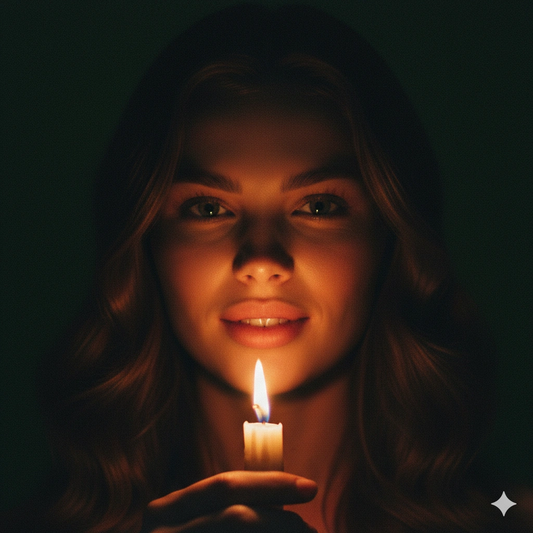
Candlelit Portrait Cinematic Female Portrait

PROMPT: Create a low-light dramatic portrait of the young woman from the reference image illuminated solely by a flickering candle held near her chin. The warm amber and red tones cast soft highlights on her face while the rest fades into shadow. Use shallow focus around the edges, with the candle glow reflecting in her eyes. Cinematic film-grain aesthetic, intimate mood. STRICT FACE LOCK: Use only the provided facial reference image with absolute precision; do not smooth or alter any skin texture or freckles.

Google Gemini AI Moody Portrait Photo Editing Prompt 5

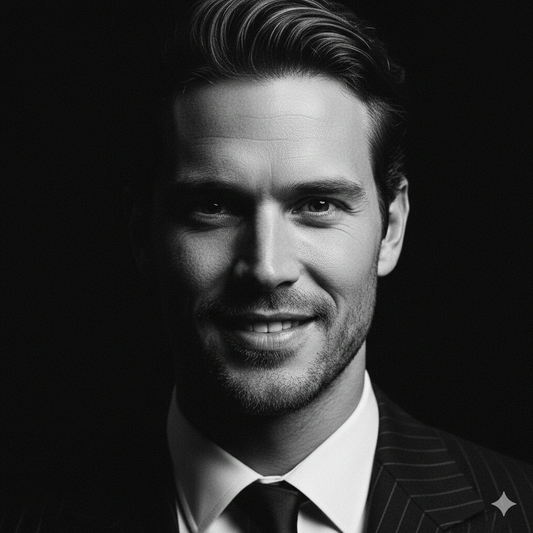
Film noir portrait

PROMPT: Produce an intense black-and-white film noir portrait of the subject. He looks directly at the camera with one side of his face lit by a hard spotlight, the other side disappearing into shadow. Deep contrast highlights his features and expression. Use 1940s detective style with heavy grain and sharp detail in the lit areas. 4K resolution. STRICT FACE LOCK: Use only the provided facial reference image with absolute precision; ensure his face and expression are exactly the same as in the original photo.

Google Gemini AI Moody Portrait Photo Editing Prompt 6

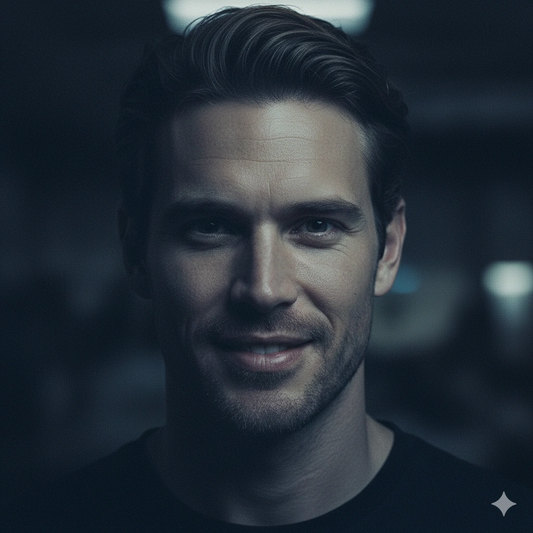
Dark ambient portrait

PROMPT: Create a moody portrait of the subject (reference) in an indoor dim-lit environment. Soft light from a single source above casts dramatic shadows under his eyes and cheekbones. The overall tone is cool and muted, with some light spill highlighting the hair. Include realistic film grain. Ultra-realistic skin texture and 8K detail. STRICT FACE LOCK: Use only the provided facial reference image with absolute precision; preserve every detail, including the natural skin imperfections and expression.

Google Gemini AI Moody Portrait Photo Editing Prompt are used with Google Gemini AI to create realistic, high-quality photos inspired by trending visual styles and popular photo aesthetics. These prompts help generate professional-looking results quickly, without requiring advanced photo editing skills.

Moody Portrait are actively searched by users who want simple copy-paste solutions to generate AI photos. These prompts are designed to match popular styles such as natural lighting, sharp details, and clean backgrounds commonly seen in trending images across social media and search platforms.

Below are ready-to-use Google Gemini AI Moody Portrait Photo Editing Prompt that show how to properly structure prompts for Google Gemini AI to achieve consistent, visually appealing, and high-quality photo results.

Moody Portrait Photo Generating Guide

Using structured Google Gemini AI Moody Portrait Photo Editing Prompt helps maintain consistent output quality, especially when creating multiple images in the same style. This makes these prompts useful for social media posts, profile photos, and everyday creative projects.

You can customize Google Gemini AI Moody Portrait Photo Editing Prompt by adjusting lighting, background, image style, or mood. Even small prompt changes can create unique visuals and noticeably improved image results.

Explore trending Google Gemini AI photo editing categories and creative prompts on Gemini AI Prompts to discover the latest photo editing ideas, popular AI styles, and similar prompts.