Red Dress Ultra-Realistic Studio Portrait AI Prompt Template

Published in Lifestyle Portrait • March 14, 2026

Looking for a high-quality Red Dress Ultra-Realistic Studio Portrait AI Prompt? This professional Lifestyle Portrait AI prompt template is designed to help you generate stunning results for your project. Simply copy the template below and customize it for your favorite AI model, including Gemini, ChatGPT, and Midjourney.

The Prompt
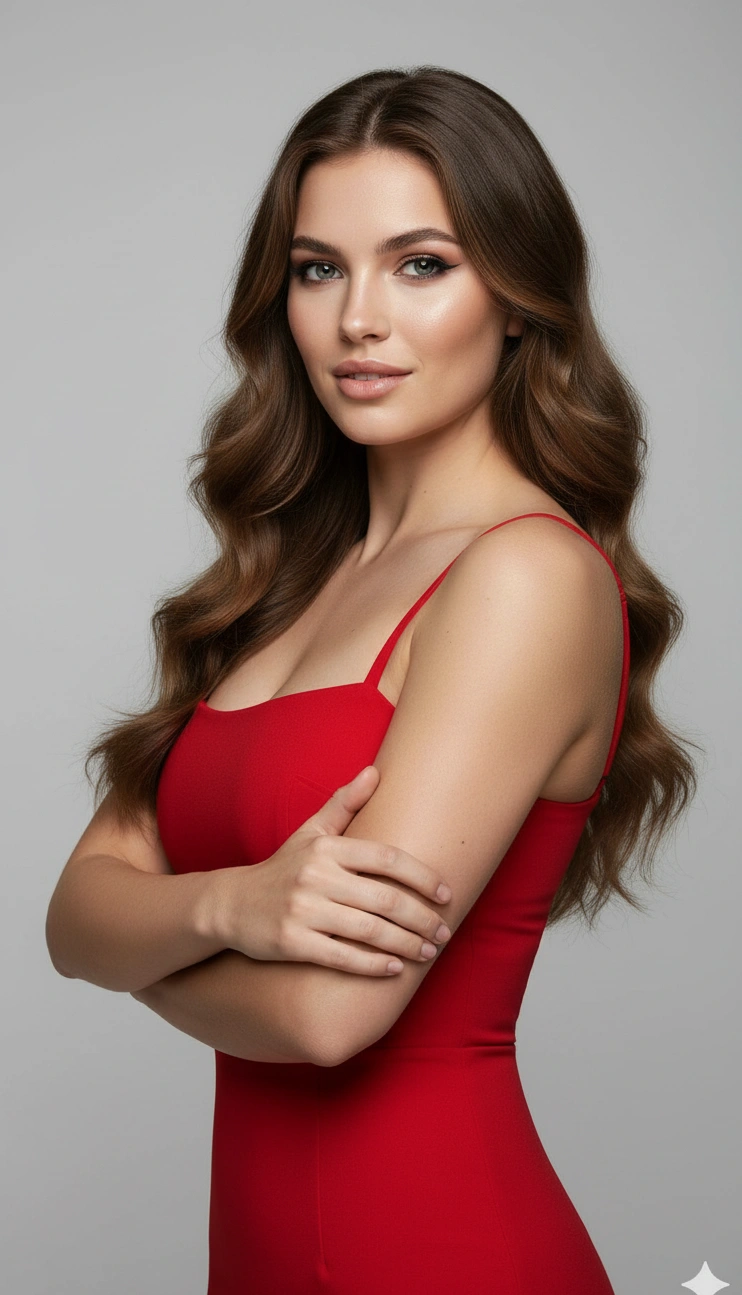
**SUBJECT DESCRIPTION:** The subject is a person with long, dark hair styled in soft waves that cascade over their shoulders. Their eyes are striking, with defined features and bold makeup accentuating their gaze. They wear a form-fitting, sleeveless red dress with thin straps, highlighting their toned arms. The subject's expression is confident, and their arms are crossed over their chest, creating a poised and assertive stance. **SCENE & ENVIRONMENT:** The backdrop is a smooth gradient of light gray tones that creates a clean, minimalistic setting. The lighting is even and soft, casting subtle shadows that add depth to the subject's features. There is a gentle gloss on the skin, suggesting a well-lit environment, possibly with diffuse lighting from the front. The overall color palette is dominated by the vibrant red of the dress, contrasted against the muted background, creating a modern and stylish atmosphere. **TEXT & TYPOGRAPHY:** No visible text is present in the image. **STYLE & VISUAL TAGS:** Ultra-realistic, studio portrait, minimalistic background, vibrant color contrast, mid-shot framing, soft lighting, high-definition, modern elegance, 3:2 aspect ratio.

Red Dress Ultra-Realistic Studio Portrait AI Prompt AI generation example for Lifestyle Portrait
Example output generated using the Red Dress Ultra-Realistic Studio Portrait AI Prompt prompt.

Suggested Variations for "Red Dress Ultra-Realistic Studio Portrait AI Prompt"

Make it Cinematic

Add descriptors like "cinematic lighting, 8k resolution, photorealistic" to the end of the prompt for a studio-quality look.

Change the Mood

Append variations such as "moody atmosphere, dark aesthetic, high contrast" to completely shift the emotional tone.

Adjust the Medium

Instead of a photo, try requesting a "watercolor painting, 3D render, or vector illustration" using the exact same subject.

How to use this Lifestyle Portrait prompt

To get the best results with this generative AI prompt, follow these optimization steps:

1

Copy

Click the copy button above to get the prompt.

2

Modify

Replace any [ ] with your specific details.

3

Paste

Use it in ChatGPT, Midjourney, or Gemini.

4

Refine

Adjust the prompt for even better results.