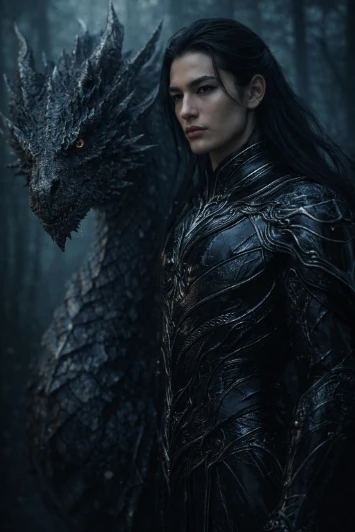
**STRICT FACE LOCK:** Use only the provided facial reference image with absolute precision. Do not alter any facial features, including structure, bone proportions, eyes, nose, lips, jawline, skin tone, hairline, age, or expression. Avoid beautification, smoothing, or AI face regeneration. Preserve all authentic skin textures, pores, fine lines, and natural asymmetry. The face must remain perfectly identical and instantly recognizable, with zero identity drift or reinterpretation.
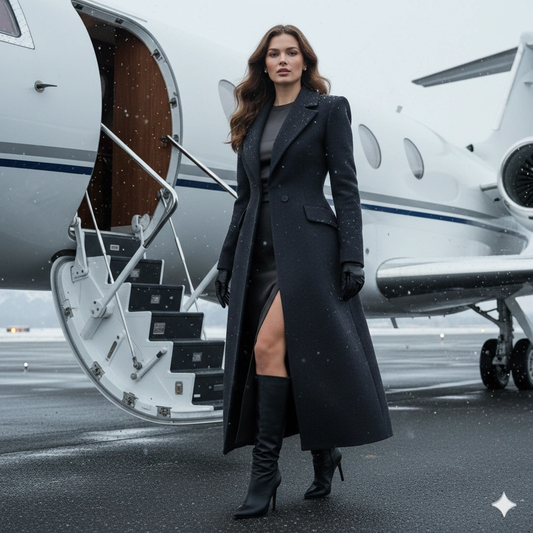
**SUBJECT DESCRIPTION:** Create an ultra-realistic cinematic winter editorial portrait set on a private European airport runway during light snowfall. Vertical 4:5 composition. Power angle slightly below eye level. Frame from mid-thigh to just above the head. The subject maintains strict 1:1 identity fidelity to the reference image. Facial structure, bone proportions, hair color, and skin tone must match exactly. Natural skin texture visible, no smoothing or beautification. She is captured mid-transition: one foot placed on the first jet stair, body angled slightly downward toward the camera. Torso subtly rotated. Chin level. Eyes steady and unreadable. Calm, controlled presence. Not smiling. Not performing.
**SCENE & ENVIRONMENT:** A white private jet sits behind her with the door open and metal staircase extended. The jet is secondary but clearly identifiable. Distant runway lights glow softly through light snowfall. Snow-covered mountains are faintly visible in background depth, adding European alpine realism. The runway asphalt shows realistic cold-weather texture and slight moisture reflection. Snowfall is light, natural, and physically believable — never decorative or exaggerated. The environment conveys exclusivity, privacy, and cinematic realism.
**WARDROBE & STYLING:**
– Long tailored winter coat in deep charcoal or muted espresso wool-cashmere blend
– Structured shoulders, defined waist, and clean architectural lapels
– Beneath the coat: fitted silk-blend knit top with a clean neckline
– High-waisted wool or crepe skirt with a controlled thigh-high slit
– Knee-high or over-the-knee leather boots with slim heel
– Fine leather gloves
– Minimal refined jewelry: small diamond or gold studs and a slim ring
Wardrobe emphasizes quiet luxury, precision tailoring, and editorial authenticity.
**HAIR & NATURAL ELEMENTS:** Natural hair color preserved exactly as in the reference image. Hair worn long with subtle wind-shaped movement consistent with cold outdoor conditions. Snow lightly rests on shoulders and individual strands. Breath vapor subtly visible in cold air. No artificial styling distortion.
**LIGHTING:** Cold winter daylight with soft, realistic contrast. Natural atmospheric diffusion from snowfall. Gentle edge light subtly separates the subject from the background. No glam lighting, no artificial beauty lighting, and no exaggerated highlights. Lighting must remain physically believable and cinematic.
**CAMERA & TECHNICAL:** Camera positioned slightly below eye level for authority without distortion. Portrait lens look (50mm to 85mm equivalent). Depth of field keeps the subject critically sharp while the jet and mountains fall slightly softer but remain clearly recognizable. Realistic optical rendering with professional editorial fidelity. No artificial blur or stylization.
**MOOD & CINEMATIC INTENT:** Controlled departure. Private wealth. Emotional restraint. A quiet transition moment not meant for public view but briefly witnessed. The image conveys exclusivity, authority, and understated power.
**STYLE & VISUAL TAGS:** Ultra-realistic, cinematic editorial portrait, winter luxury aesthetic, private aviation environment, photorealistic skin texture, identity-locked realism, cold atmospheric photography, high-fashion editorial, European runway setting, strict reference identity preservation, cinematic realism, vertical 4:5 aspect ratio.
**NEGATIVE CONSTRAINTS:** Avoid over-smoothing skin, artificial beauty enhancement, logo emphasis, exaggerated snowfall, artificial glow, overly bright runway lighting, influencer-style posing, staged smiling, distorted anatomy, or unrealistic proportions. Maintain strict realism and editorial authenticity.